Fault Description
The customer reported a HP EVA 8400 disk array drive failure, and during on-site processing, the SMA manager was found to be unresponsive.
Failure analysis
1. Reboot SMA and log in to SMA after completion, but cannot open HP Command View EVA management software.
The situation is as follows:
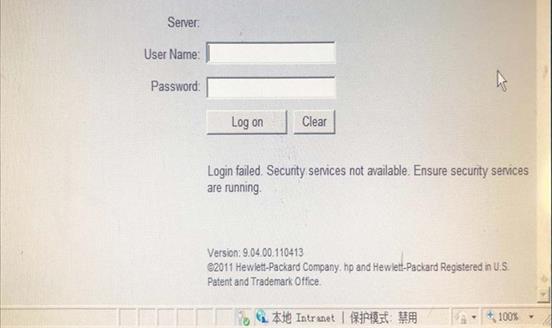
安全服务未正常运行
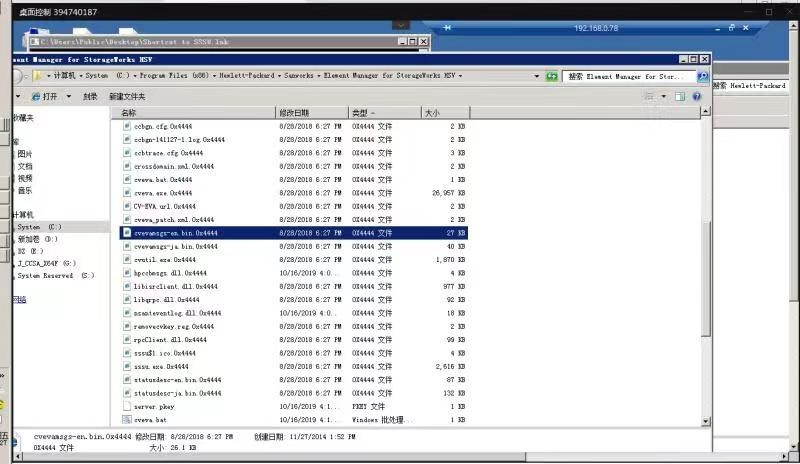
2, the HP Command View EVA services required to manually open, the service is still open error, and then troubleshooting found that the SMA system has been in the ransomware virus, all the files have been encrypted, so you need to re-install the SMA and HP Command View EVA management software.

troubleshooting
1, began to reinstall the operating system and command view (note that the management software
supports the latest operating system to windows server 2008 R2)

2, the system installation process is omitted, the following HP Command View EVA software installation process


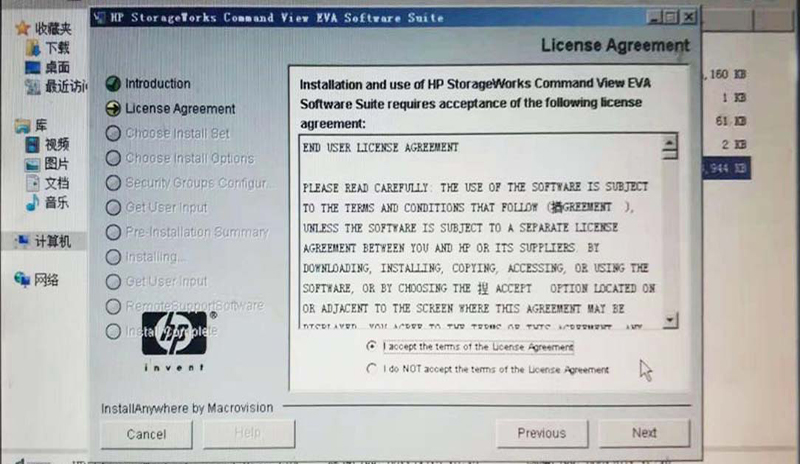

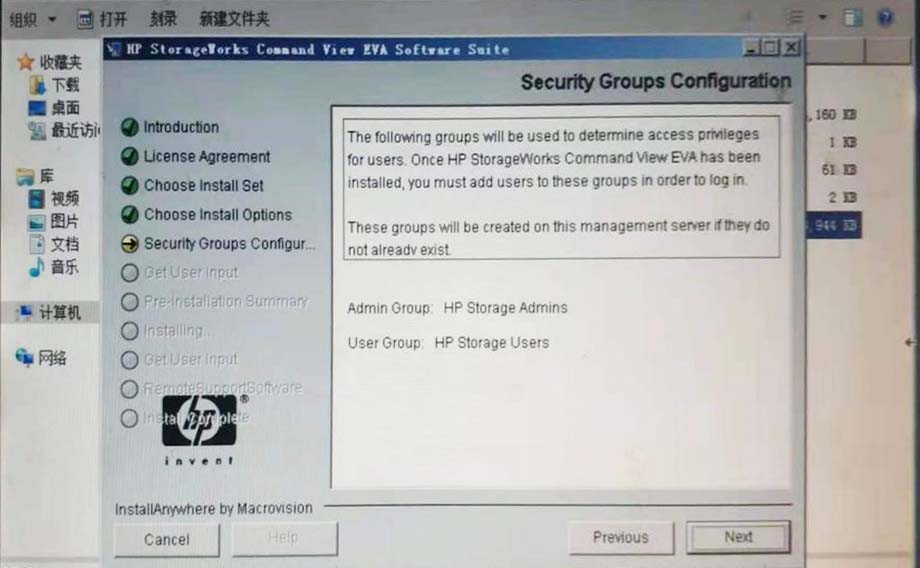
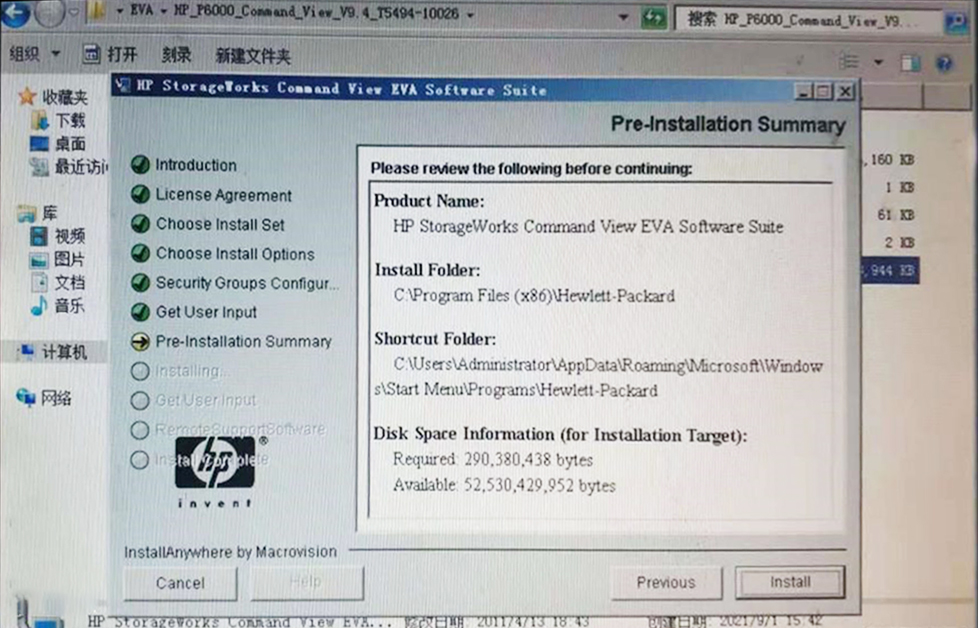
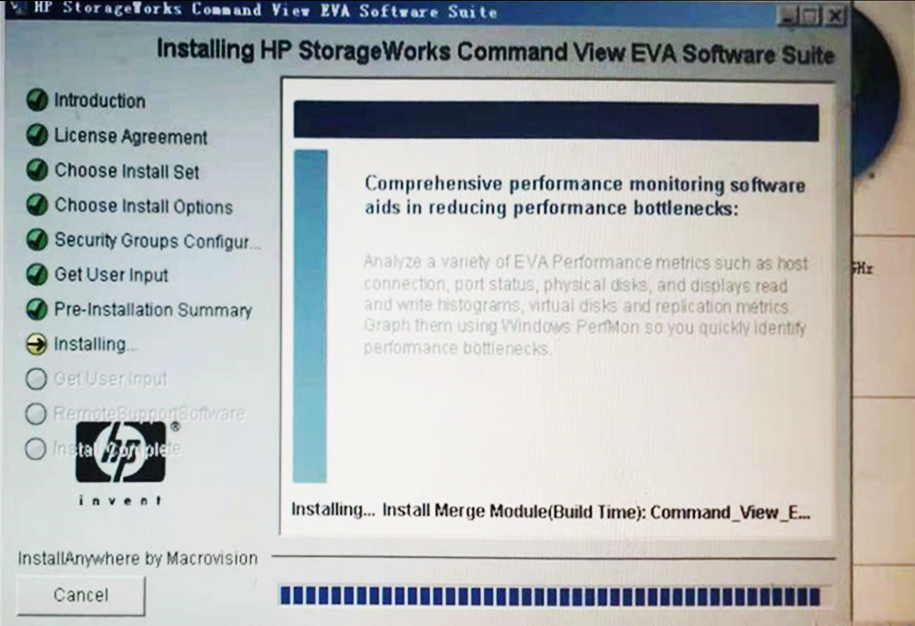
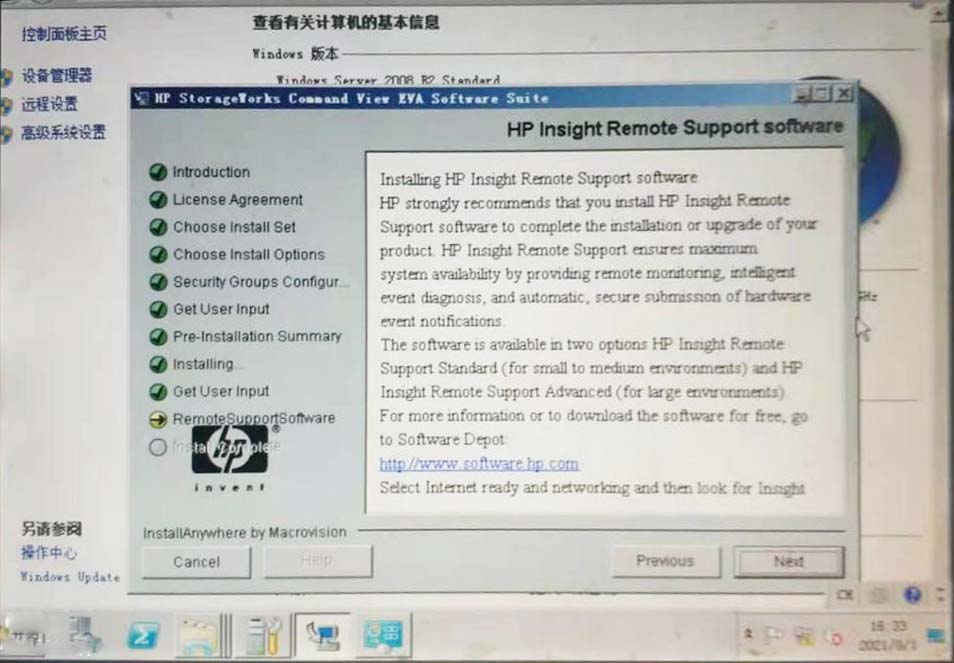
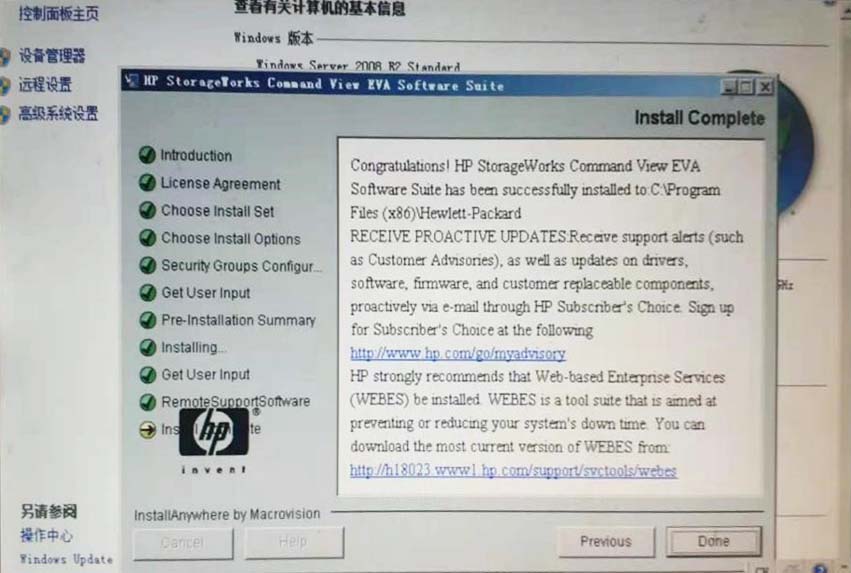
3. Add Administrator to the HP Storage AAdmin and HP Storage Users groups.

4. After logging into the management software by entering your user name again, you can connect and manage the storage normally.

License Management
After installation, you must use the license key to use all the features in HP Command View EVA. HP Command View EVA includes a temporary temporary
license key so that you can use all its features after the initial installation, which is valid for 60 days and has no capacity limitation. By default, the temporary
license is enabled. When the temporary license key expires, the relevant features will be disabled and a permanent license key must be obtained to continue
using them.

Check the status of the license key information, which:
(1) CV General: Routine Maintenance License (the image above shows that this License has been read and recovered
successfully)
(2) Business Copy: Online Virtual Disk Migration, which allows the use of optional local replication features such as
Snapshot, Snapshot Clone and Mirror Clone.
(3) Contionuous Access: remote migration replication, allowing the use of optional remote replication features.
(4) Thin Provisioning: Automatic thin provisioning, where storage resources are automatically allocated on demand/thin provisioning
The license key is specific to a column and is generated according to the WWN of the storage when applying. After inquiring, this
storage contains HPE Command View EVA8400 Unlimited LTU License, and this license information is also automatically restored
when reinstalling HP Command View EVA this time.
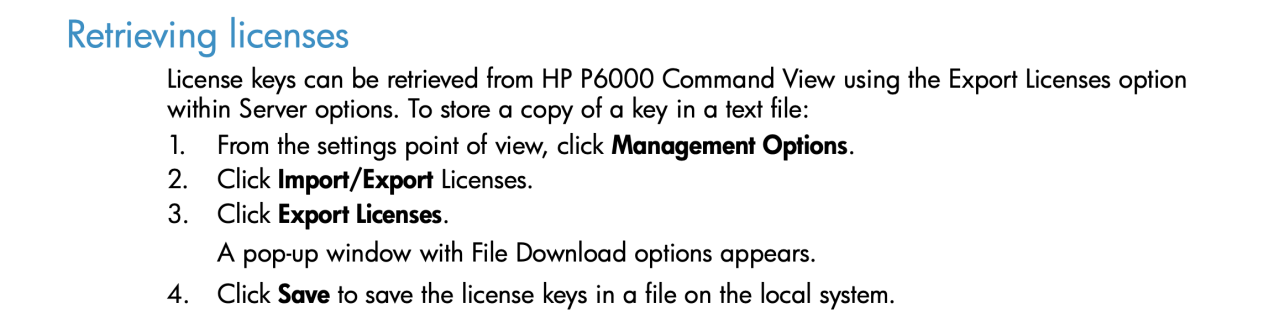
In order to cope with complex changes, it is still recommended to back up the license, the license export operation method is as
follows, the exported license is a .dat or .txt format file, please keep it properly:
In case of License loss, you can provide the WWN and serial number of the device and contact HP License support team by email for support.

Lessons learned
This failure is due to SMA poisoning, resulting in HP Command View EVA management software can not work, and then can not manage the storage.
Coupled with the HP EVA 8400 no out-of-band management, you need to use the SMA for management, so be sure to ensure that the SMA is running
normally. During daily maintenance, avoid connecting the SMA to the external network or using external storage media at will to ensure the safety of
the SMA, and regularly back up the SMA system and Command View License, which can be used for recovery once the SMA fails to work properly.
For more information, please visit Antute's official website:www.antute.com.cn


 Your current position:Home > Technical Guide
 韦德体育官方网站网址链接