an IBM V7000 unified storage offline upgrade microcode, microcode upgrade in the slave head, after reboot storage alarm downgrade.
Fault Description
IBM storwize v7000 unified upgrade microcode failed, V7000unified storage downgraded.
Log in to node2 and perform the operation on node2
1. The current version of Microcode and the latest version information are as follows:
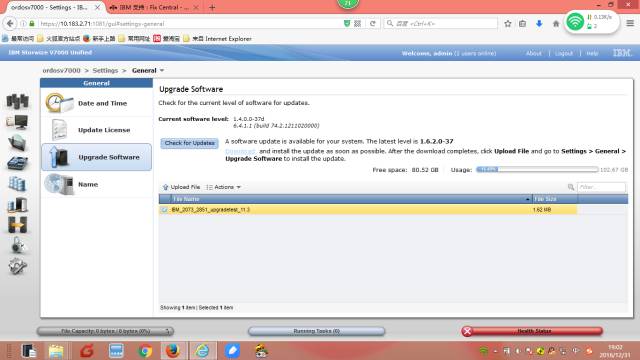
2. The transition version of the microcode upgrade is as follows:
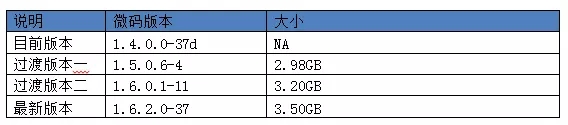
3. Upgrade to transition version one (1.5.0.6-4)
Perform pre-upgrade check, execute test utility tool, prompt upgrade error. Replace the patch package.
4. Install microcode.
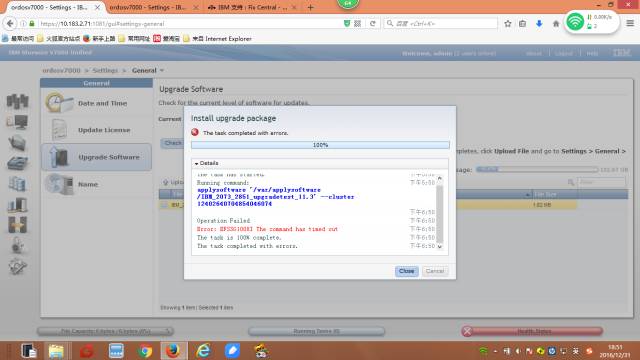
Execute pre-upgrade check (about 1 hour), the following error is reported:
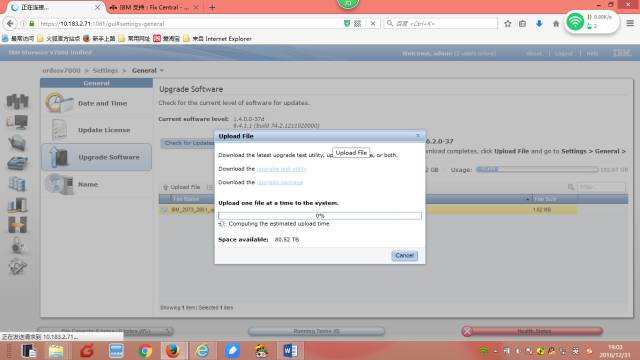
Uploading patch packages (time about 2 hours):
Installation of microcode:
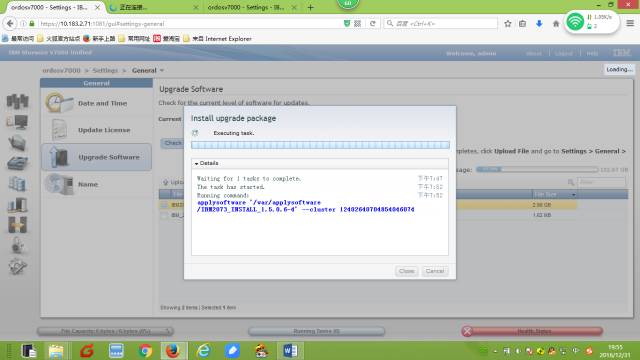
The installation reports an error, indicating that the patch package is invalid:

Storage degradation:
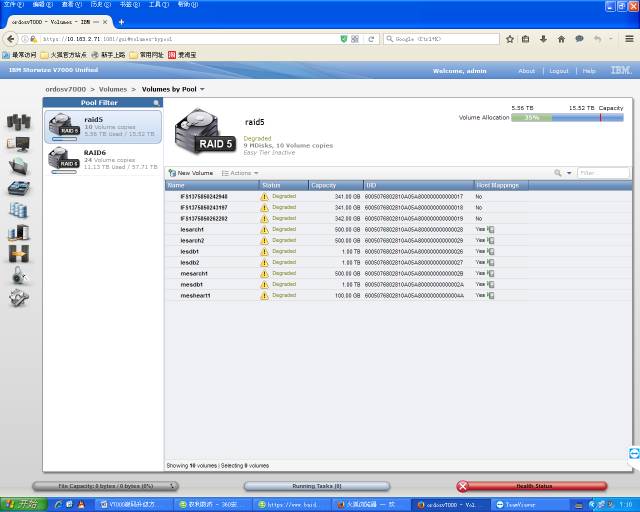
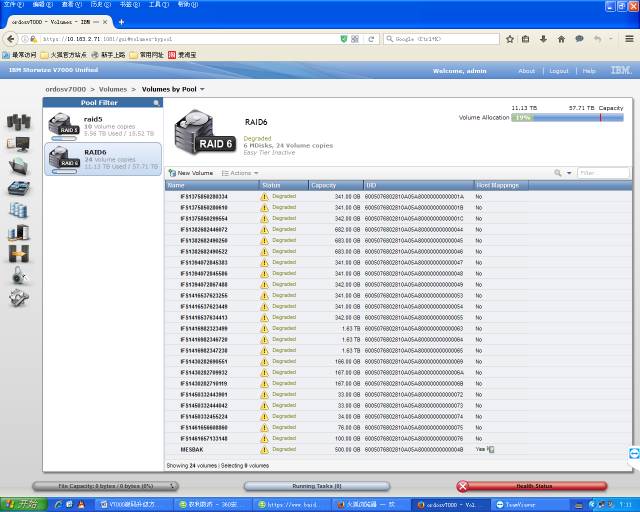
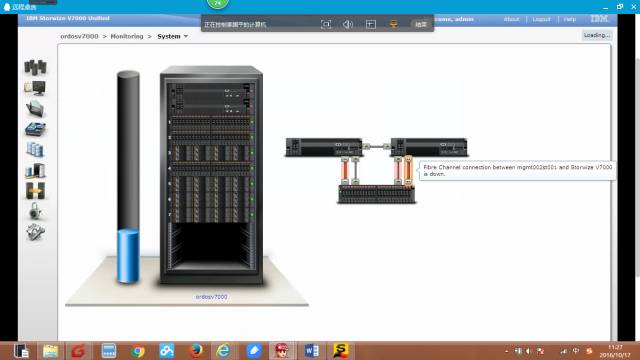
Checking the status of the node2 link to the main control enclusure is down;
Node1 fiber optic line link is shown as disconnected:
Processing
1. Begin repairing related hardware errors due to storage downgrade
2. reboot the head (node1, node2), the reboot command execution failed.
The fault execution fix process for node reboot, found that the operation could not be performed in the software (restart did not respond).
3. cold start the head, the fault remains
4. Execute the fix process again to repair the fault
5. after Node2 reboot, the link all UP back to normal. After reboot node1 link back to normal.
The storage hardware is back to normal.
6. Processing system error about filesystem, in which ADDOMIN can not mount.
7. because the downtime window has arrived, with the consent of the customer, temporarily stop the operation and start the business.
8. subsequent business assurance through the storage alternative program, business migration to alternative storage
9. Execute the file repair command (mmchkfs) and mount .
10. start the GPFS file system, fix the GPFS cluster file system can not be properly started on NODE2 problem
11. Fixed the CIMSERVER error problem by locating the underlying problem
12. The device is running normally, and the problems such as slow running have been solved, that is to say, no need to upgrade the microcode that solves the problem.
Experience Summary
1. If allowed, reboot the device before upgrading the microcode to make sure there is no problem with the hardware itself
2. try to choose a way to operate with less impact, the choice of offline upgrade is also to consider the impact on business
3. V7000unified unified storage, unlike the V7000 standard storage, it has a lower market share and fewer related technical resources. Therefore, we need to have a detailed upgrade plan and related resources ready before upgrading again.
4. During the operation, there will be various accidents, in the application of downtime, need to take into account the processing failure time.
如欲了解更多,请登录澳门威尼斯人网址:www.antute.com.cn


 Your current position:Home > Technical Guide